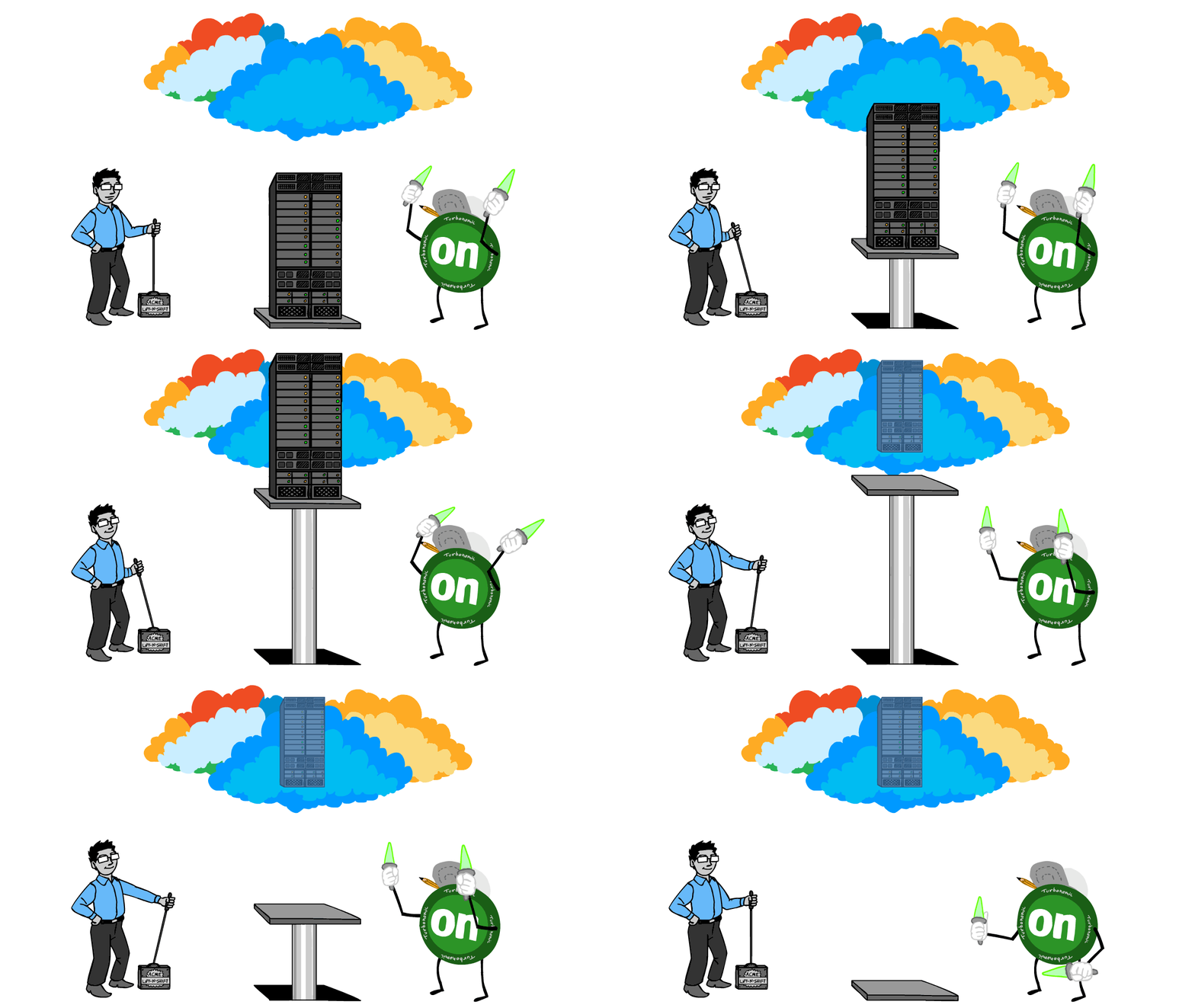
Migration Overview
Migrating from AEM 6.x to AEM as a Cloud Service isn't a simple upgrade—it's a transformation. The cloud-native architecture requires changes to how code is structured, configured, and deployed. But with proper planning, the migration is manageable and the benefits are substantial.
Most migrations follow these phases:
Assessment
Evaluate your current implementation and identify gaps.
- Run Best Practices Analyzer (BPA)
- Inventory custom code and integrations
- Assess content volume and complexity
- Identify deprecated APIs and features
Code Refactoring
Update your codebase for cloud compatibility.
- Restructure packages (separate mutable/immutable)
- Convert OSGi configs to Sling Feature Model
- Update dispatcher configuration
- Replace deprecated APIs
Content Migration
Move your content to the cloud.
- Use Content Transfer Tool (CTT)
- Plan for delta migrations
- Handle large binaries (DAM assets)
- Validate content integrity
Testing & Go-Live
Validate everything before cutover.
- Functional testing on stage
- Performance and load testing
- Content freeze and final migration
- DNS cutover
Phase 1: Assessment
Best Practices Analyzer (BPA)
The Best Practices Analyzer is your starting point. It's an AEM package that scans your existing implementation and generates a report of cloud compatibility issues.
BPA identifies:
- Blocking issues — Must fix before migration (deprecated APIs, incompatible code)
- Warnings — Should fix but won't block (performance concerns, best practices)
- Information — Awareness items (features that work differently in Cloud)
Run BPA regularly during your refactoring phase—not just once at the start. As you fix issues, new ones may surface. Aim for a clean BPA report before content migration.
What to Inventory
- Custom components — HTL/JSP components, client libraries, front-end code
- OSGi services — Custom services, schedulers, workflows
- Integrations — External APIs, SSO, analytics, third-party systems
- Dispatcher rules — Rewrites, filters, caching rules
- Content volume — Number of pages, DAM assets, total repository size
Phase 2: Code Refactoring
Package Restructuring
AEM Cloud requires a specific project structure that separates code from content:
- all — Container package that embeds all sub-packages
- ui.apps — Immutable content (components, templates, client libraries)
- ui.config — OSGi configurations (Sling Feature Model format)
- ui.content — Mutable content (sample content for development only)
- core — Java bundle (OSGi services, Sling models)
- dispatcher — Dispatcher configuration module
Content packages (ui.content) should NOT be deployed to Cloud environments. All actual content goes through the Content Transfer Tool, not code deployments.
OSGi Configuration Changes
AEM Cloud uses the Sling Feature Model for OSGi configurations. Key differences:
- Configuration files use
.cfg.jsonformat (not.configor.xml) - Run mode folders:
config.author,config.publish,config.dev, etc. - No custom run modes—only standard environment run modes
- Secrets go in Cloud Manager environment variables, not configs
Dispatcher Configuration
Dispatcher configuration is now part of your code repository and validated at build time:
- Use the
dispatchermodule with standard folder structure - Run
dispatcher validatelocally before committing - No access to dispatcher servers—all config via Git
- Some directives not supported (e.g., mod_rewrite loops)
Phase 3: Content Migration
Content Transfer Tool (CTT)
The Content Transfer Tool is Adobe's official solution for migrating content:
- Install CTT on your source AEM instance
- Create migration set — Select content paths to migrate
- Extract — Pull content into a migration package
- Ingest — Push content into Cloud environment
Migration Strategy
For large migrations, plan multiple passes:
Initial Migration (T-4 weeks)
Migrate all content while site is still live on 6.5. This is the bulk transfer.
Delta Migration 1 (T-2 weeks)
Migrate only content changed since initial migration. Faster and validates process.
Content Freeze (T-3 days)
Stop content authoring on source. Authors can prepare content but not publish.
Final Delta (T-1 day)
Last migration with all remaining changes. Validate thoroughly.
Go-Live (T-day)
Switch DNS, validate, enable authoring on Cloud.
DAM Asset Considerations
Large DAM libraries need special attention:
- Renditions — Don't migrate renditions; Cloud regenerates them via Asset Compute
- Size limits — CTT handles large binaries but network speed matters
- Metadata — All metadata and folder structure transfers correctly
- Smart Tags/Crops — May need reprocessing in Cloud
Phase 4: Testing & Go-Live
Testing Checklist
- Functional testing — All components render, forms submit, workflows run
- Integration testing — External systems connect, data flows correctly
- Performance testing — Page load times, Time to First Byte (TTFB)
- Content validation — All pages migrated, assets display, links work
- Author experience — Authoring UI works, permissions correct
Go-Live Checklist
- Final content migration complete
- All test cases passing
- SSL certificates configured
- Custom domain in Cloud Manager
- CDN configuration verified
- Redirects in place (old URLs → new)
- Analytics/tag management updated
- Rollback plan documented
Common Migration Challenges
Custom Run Modes
If you relied on custom run modes like config.brand1 or config.region-eu,
you'll need a different approach. Options include:
- Context-aware configurations (Sling Context-Aware Config)
- Cloud Manager environment variables
- Content-based configuration nodes
Server-Side Integrations
Integrations that required server access need rearchitecting:
- File system access → Cloud storage (Azure Blob, S3)
- Direct database connections → API-based integration
- Custom JMX beans → Cloud Manager monitoring
Migration Timeline
Typical timelines based on implementation complexity:
- Simple sites (minimal custom code): 3-4 months
- Standard implementations: 4-6 months
- Complex enterprise sites: 6-9+ months
Factors that extend timelines: heavy customization, many integrations, large content volume, regulatory requirements, multiple brands/sites.
Related Topics
Planning an AEM Cloud Migration?
Our team at WegWorks (Weg Works) has executed AEM migrations for Fortune 500 companies. Let us assess your implementation and build a migration roadmap.
Get Migration Help